I used an AI agent to make my Instagram boring
I can't delete Instagram, so I injected a framework that adds friction to its endless parts. A coding agent did most of the digging, once FLEX gave it a map.
Back in 2024 I blocked the Reels tab on my Instagram by injecting a small framework into the app. Tapping Reels showed a meme instead. It worked for a while, but it was a blunt fix.
The thing is, I can’t just delete Instagram. My friends are there, memes get sent on DM, and I do like seeing what people are up to. What I don’t like is looking up and realizing 60 minutes are gone.
So this time the goal was different. Keep the useful parts, and add friction to the endless parts. AI coding agents have also gotten really good since my last post, so I wanted to see how far I could get if I let the agent do the heavy lifting.
Further than I expected. Most of it came together in a single afternoon. I started with a hello world around lunch, and by evening Instagram had stopped crashing, the Explore reel grid was gone and a reel from a friend was just one reel.
💻 The code is here: github.com/rational-kunal/NotTheInstagram
What my Instagram does now
3 posts, then a wait
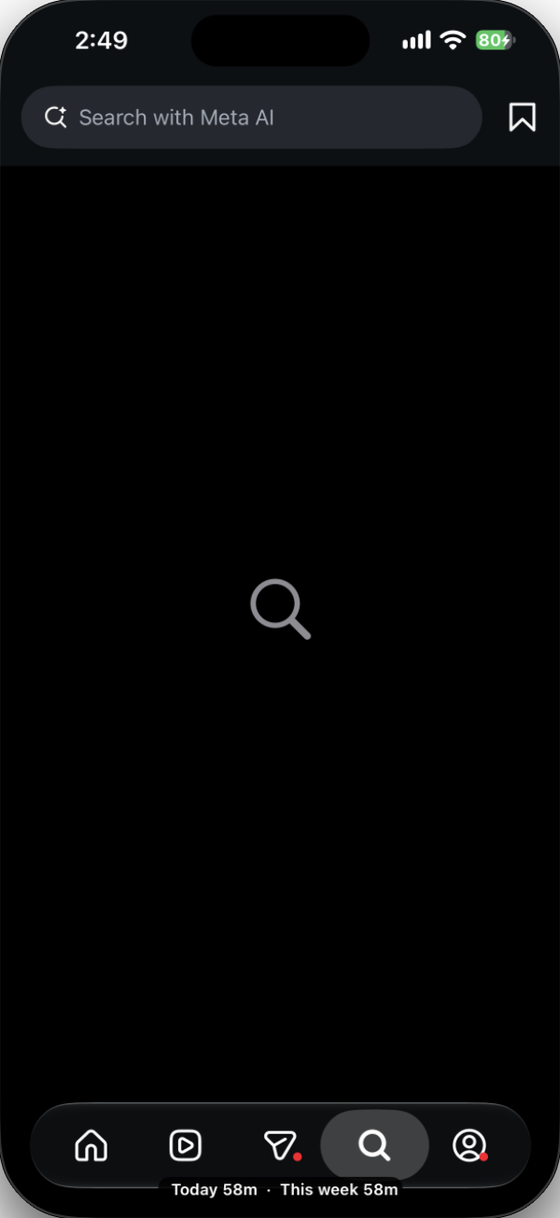
no grid, just search
2 minutes of staring first
each reel waits longer
one reel, no swiping
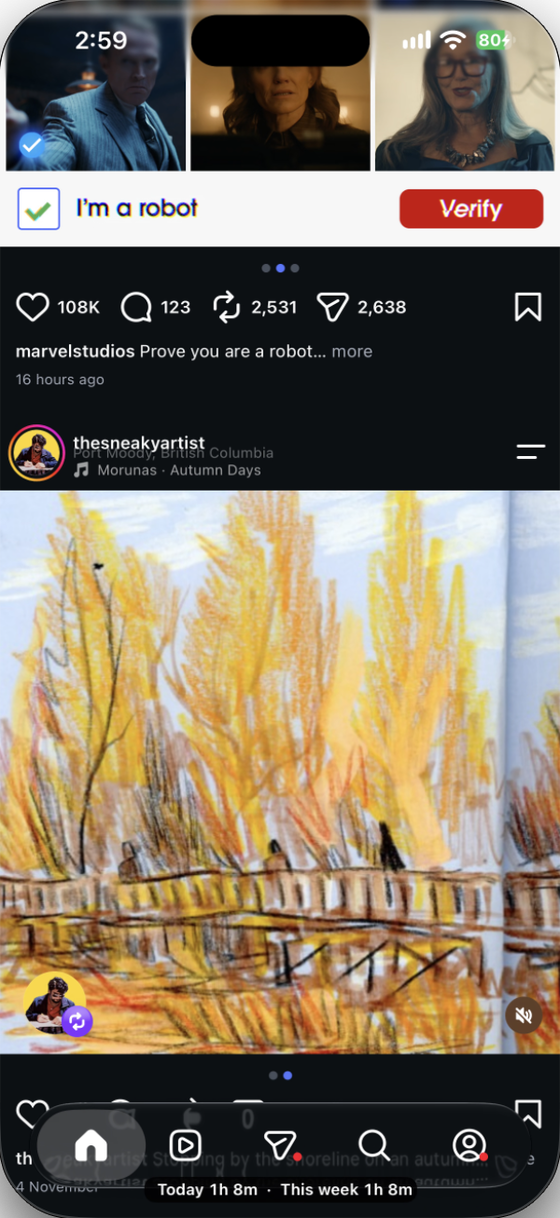
time spent today and this week
Everything else in Instagram works pretty much the same.
The setup
Same base as last time: a decrypted Instagram IPA, a framework I build in Xcode, and Sideloadly to inject it and install the app on my iPhone.
If those words are new: an IPA is the iOS app package (like an APK on Android). A framework is a bundle of code. Sideloadly unpacks the IPA, adds my framework, re-signs everything with my Apple account and installs it. When Instagram launches, my code loads with it and can change how Instagram’s classes behave.
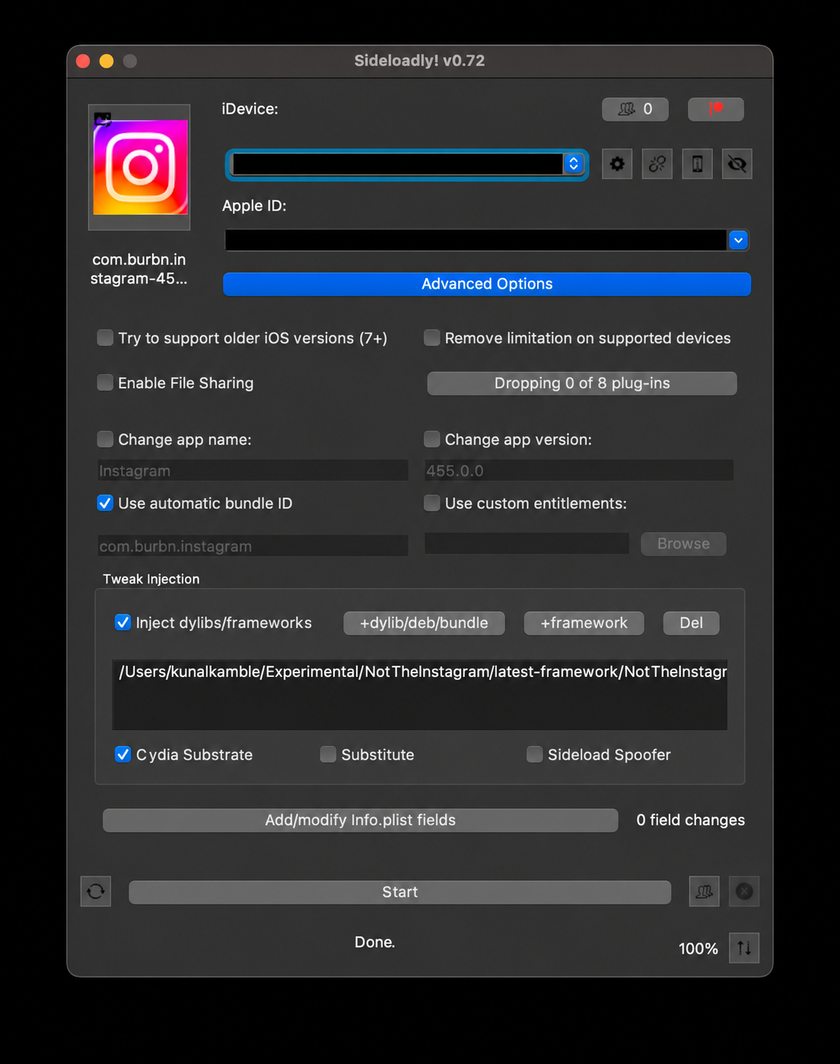
New this time:
- Codex: the AI coding agent I worked with.
- Hopper: a disassembler. It opens Instagram’s ~400 MB executable and lists the classes and methods inside. The free demo was enough, though it closes every 30 minutes.
- REA (Reverse Engineer Anything): connects the agent to Hopper, so it can search the binary and read the disassembly on its own.
- FLEX: an in-app debugger. It ended up being the most important tool here, more on that later.
AGENTS.md first
Since I was going AI first, I started with an AGENTS.md, the file coding agents read before doing anything in a repo. I thought I would write it once. I rewrote it a few times. Here’s the important part of the current version (full file):
This experimental project aims to reduce addictive Instagram behaviors
through an injected framework.

There should be minimal impact on the user experience apart from the intended
behavior changes, and the framework should be designed to be as robust as possible.

Keep agent-generated notes, plans, intermediate results, lessons, and material
for future reading in `agents/` by default.

The intended workflow is to build the framework as an XCFramework, inject
it into Instagram with Sideloadly, and refine it using the user's on-device
test results. Do not assume an on-device test has passed without evidence.

The Hopper demo may have less than 30 minutes remaining. If the timer expires
and Hopper is still needed, pause the work that requires Hopper, ask the user
to relaunch it, and resume once Hopper is available again.
Two lines in there do most of the work.
“Keep notes in agents/” means every investigation leaves a written record: which class, which method, what was tested on the phone and what wasn’t. When I start a new session days later, the agent reads those notes instead of digging through the binary again.
“Do not assume an on-device test has passed” is there because the agent can build and run checks on my Mac, but only my phone can tell if Instagram actually behaves.
The project layout:
NotTheInstagram/
├── AGENTS.md                         # instructions every agent reads first
├── NotTheInstagramFrameworkCode/     # Xcode project
│   └── NotTheInstagramFrameworkCode/
│       ├── Features/                 # Home feed, Reels, Explore, usage label
│       ├── Compatibility/            # login storage fix, TestFlight prompt
│       ├── Diagnostics/              # FLEX
│       └── Runtime/                  # shared hook helpers
├── scripts/
│   └── build-framework.sh            # builds the framework for Sideloadly
├── latest-framework/                 # build output, goes into Sideloadly
├── original-decrypted-ipa/
│   └── <version>/                    # the IPA and its unzipped copy (not in git)
└── agents/                           # notes, investigations, AI scratch work
Hello world, then two bugs
For hello world I wanted an alert to pop up when Instagram opens. I asked the agent to set up the framework, then built it, injected it and opened Instagram on my phone. The alert showed up. So did two problems:
- Instagram couldn’t log me in automatically. Every launch, log in again.
- Instagram crashed. Sometimes right away, sometimes a few minutes after opening.
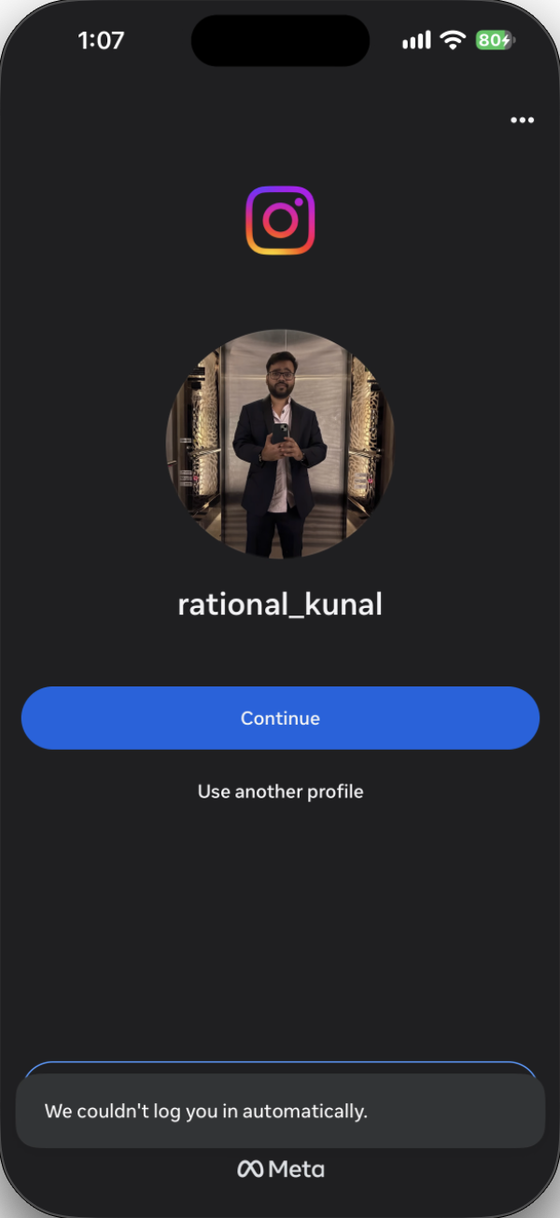
My gut said these two were connected, and they were. I gave the agent the crash reports and console logs from my phone. The console showed the same keychain error on reads, updates and writes (shortened):
securityd  Instagram  copy_matching  Code=-34018
  Client explicitly specifies access group group.com.facebook.family
  but is only entitled for (...)

securityd  Instagram  update         Code=-34018
securityd  Instagram  add            Code=-34018
When Sideloadly re-signs Instagram with my Apple account, the app gets my identity instead of Meta’s. But Instagram still asks iOS for Meta’s shared storage: a keychain group where login data lives, and a folder that Meta’s apps share. iOS refuses both, because my copy isn’t Meta’s. That’s the login problem.
The crash comes from the folder. Its lookup returns nil, and later Instagram passes that nil into hasPrefix:, which throws an exception and takes the app down.
Funny thing, my last post had an NSFileManager crash too. Back then I patched around it without really knowing why. This time I got the actual reason.
The fix is a small adapter in the framework. Instagram’s original call always runs first. If iOS refuses one of those Meta locations, the adapter hands back a folder inside the app’s own container, and retries the keychain call with a group my signing identity is allowed to use. Login data still stays in the iOS keychain. After one manual login, it stayed logged in.
A smaller annoyance showed up later: sideloaded Instagram kept showing a TestFlight “update available” screen on launch, so the framework skips it.
Giving the agent a map
Next I wanted to change actual features. I asked the agent to find the Explore grid and hide it, and it went in circles. Instagram’s executable is around 400 MB with thousands of classes, and “the Explore grid” doesn’t mean anything in there. The agent kept guessing class names and searching for each one.
If I were doing this by hand, I would want a starting point: the name of the class that’s on screen.
That’s exactly what FLEX gives you. I added it to the framework. A three-finger double tap, or holding the usage label for a second, opens it. Tap any view and FLEX shows its class name and where it sits in the view tree.
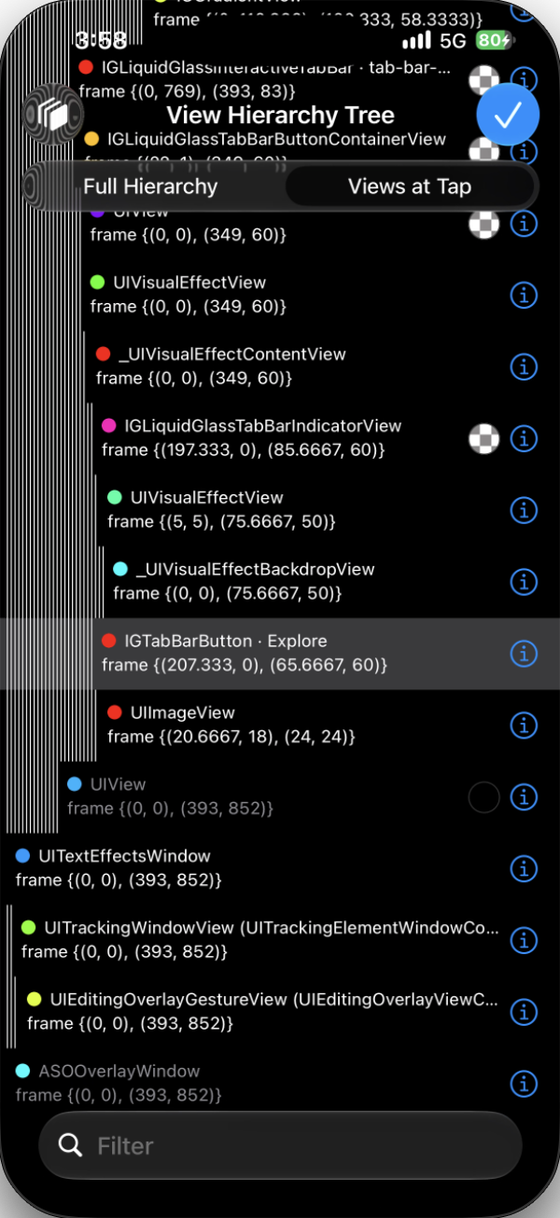
this is the map
So my loop became:
- Open FLEX on the screen I want to change.
- Note the class names around it (
IGExploreViewController,IGExploreGridViewController,IGListCollectionView). - Give those names to the agent and let it search Hopper from there.
This made a huge difference. The agent stopped spiraling and went straight to the right methods. If you’re using AI on a big codebase you don’t know, give it a starting point. It’s fast once it knows where to look.
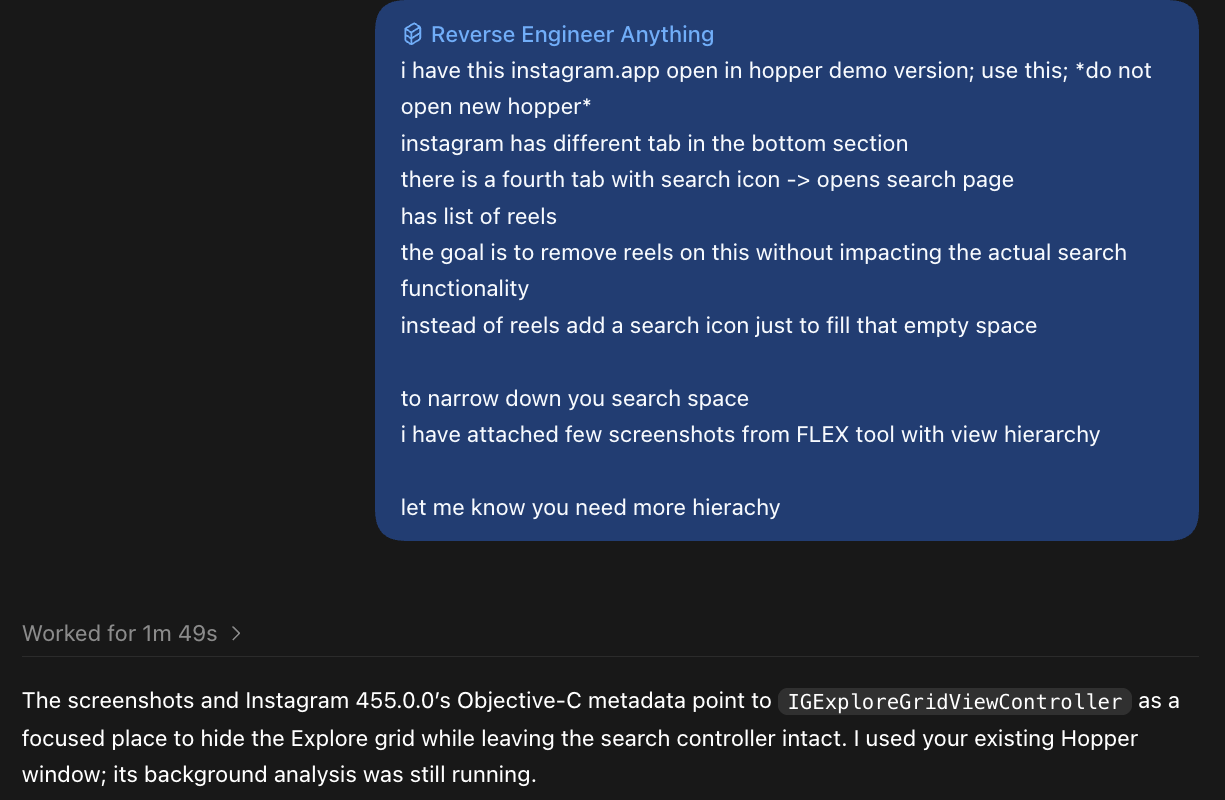
From class name to hook
Once FLEX and Hopper point to the right method, the change itself is a hook. When Instagram calls that method, my code runs instead, and it can still call Instagram’s original version. So I only change the part I care about. This works because Objective-C picks which code to run for a method while the app is running, so a framework loaded into the app can swap it.
Here’s the Explore one, trimmed. When the framework loads, it finds Instagram’s grid class by name and hooks its viewWillLayoutSubviews:
static void NTIGridWillLayout(UIViewController *controller, SEL selector) {
    // Let Instagram do its normal layout first
    ((void (*)(id, SEL))NTIOriginalGridWillLayout)(controller, selector);

    // Then hide the grid and put a magnifying glass where it was
    // ...
}

+ (void)load {
    // Only run inside Instagram
    if (!NTIIsInstagram(NSBundle.mainBundle.bundleIdentifier)) return;

    Class grid = NSClassFromString(@"IGExploreGridViewController");
    const NTIHook hook = {"viewWillLayoutSubviews", (IMP)NTIGridWillLayout,
                          &NTIOriginalGridWillLayout, @encode(void), 0, {NULL}};
    NTIInstallHooks(grid, &hook, 1);
}
NTIInstallHooks is the part I care about most. Before replacing anything, it checks that the method exists with exactly the argument and return types I expect. Instagram updates often. If a method gets renamed or changed, the check fails and only that feature turns off. Instagram keeps working. Every hook in the project goes through this check.
Working with the agent
The agent wrote most of the code, much faster than I could have. But I was the one driving.
It kept going off in different directions, and my job was to notice and point it back. The turning points in this project came from those moments: adding FLEX when it was lost in the binary, and guessing that the login bug and the crash were the same problem.
Try it yourself
If you want to experiment:
- Install Sideloadly, Hopper (the demo is fine) and REA if you want your agent to read the binary.
- Do a hello world injection first. My last post walks through it. Seeing your own alert pop up inside Instagram is weirdly satisfying.
- Clone the repo and let your coding agent take it from there.
AGENTS.mdtells it how to build (or run./scripts/build-framework.shyourself). Inject the framework into your own decrypted Instagram IPA with Sideloadly (I can’t share that part), then ask the agent for whatever you want to change.
Everything was found on Instagram 455.0.0. On other versions some hooks might not match, and those features just stay off. Each feature lives in its own file under Features/, so adding one is mostly: find the class with FLEX, find the method in Hopper, write the hook.
One heads-up: Instagram doesn’t allow modified clients, so try this on an account you’re okay experimenting with.
If this helped you or you just liked it, a ⭐ on the repo would make my day.
Want something changed in Instagram?
You don’t need to be technical for this. Open an issue and describe what you want Instagram to do, or stop doing. Plain English is perfect. A few things already on my list: hide like counts, turn the app grayscale after 30 minutes, hide “Suggested for you” posts in the feed.
If your idea is interesting, I’ll try building it. And if you’re working on something similar (digital wellbeing, iOS tooling, building with AI agents), I would love to chat.
Thank you.